Coding Studio
The K-5 coding pathway, block projects, debugging, networks, security, and responsible AI.
Coding is currently available to beta-test families. It uses the same learner, daily queue, mastery colors, accessibility settings, and parent controls as every other Rascals subject.
One connected K-5 pathway
The pathway begins with concrete sequences, patterns, and careful technology use in kindergarten. Grade 1 moves into events and visual programs. Grades 2-5 build loops, conditionals, variables, custom blocks, testing, data, networks, privacy, cybersecurity, and responsible AI.
Kindergarten begins with a pre-reader visual on-ramp: the learner follows arrows and watches a Rascal move one square at a time. It does not begin by asking the child to read coding vocabulary or reorder written sentences. Read-aloud remains available for the teaching and checks.
 The Coding Trail shows exactly what is complete, current, and locked.
Coding uses one continuous ladder inside each grade. Clearing a lesson opens the next one, even when the next lesson begins a new unit. Mastery still follows the normal Rascals model.
Coding Studio
The Studio is a repeatable practice space beside the graded lessons.
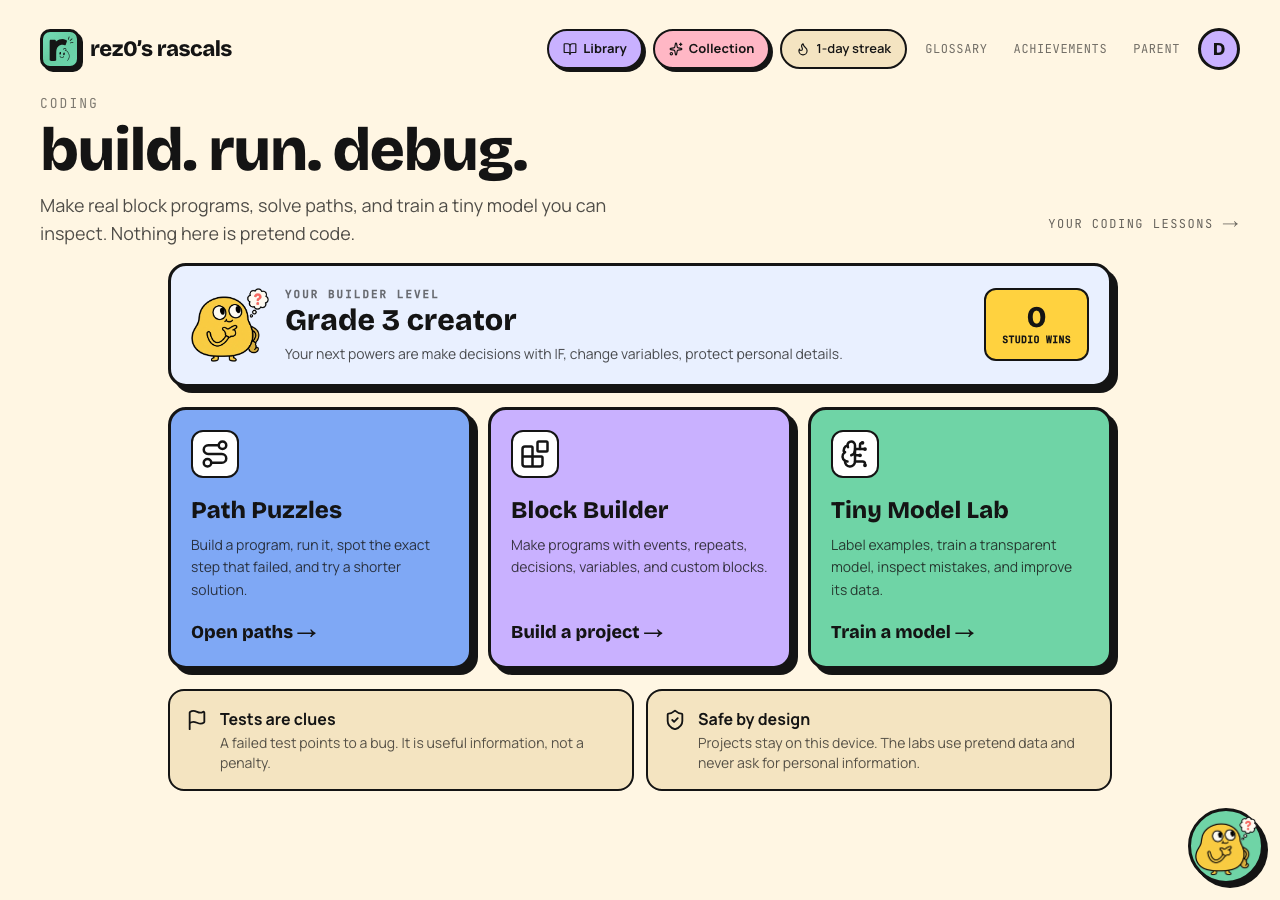 Path Puzzles, Block Builder, and the transparent Tiny Model Lab scale to the learner's grade.
- Path Puzzles run the exact arrow and repeat blocks shown on screen. A repeated arrow can make two to four moves while using one code block. The program strip shows both counts so a short-code challenge never means the star must be physically nearby. The Rascal moves once per second so the child can follow every command, including each move inside a repeat block.
- Block Builder supports events, movement, loops, conditionals, variables, output, and named custom blocks. Projects run against visible test cases.
- Tiny Model Lab shows every synthetic training example and explains each prediction by naming the closest example. The model can fail, and the child repairs the data instead of being told that AI is magic.
 Move, remove, and rerun blocks with touch, a mouse, or a keyboard.
Studio wins are a private, on-device personal count. There are no public profiles, chats, leaderboards, or personal-data prompts.
Videos and read-aloud
Coding videos follow the same parent-controlled setting as other lessons. A video appears only when it is a direct, age-appropriate match from a reputable educational source. Many Coding lessons intentionally have no video because a weak match is worse than no match.
Lesson teaching, checks, and lab instructions use the central read-aloud system. Audio never autoplays.